Best Cutting Machine for Stencils (2026): Cricut Maker 4 vs Maker 5, Plus the Blade That Matters
The best cutting machine for stencils in the UK: Cricut Maker 4 vs Maker 5 for mylar stencils, the Deep-Point Blade that gets through 7 to 10 mil film, and what each costs.
As an Amazon Associate, Free Stencil Maker earns from qualifying purchases. It costs you nothing extra, and it never decides what makes the list.
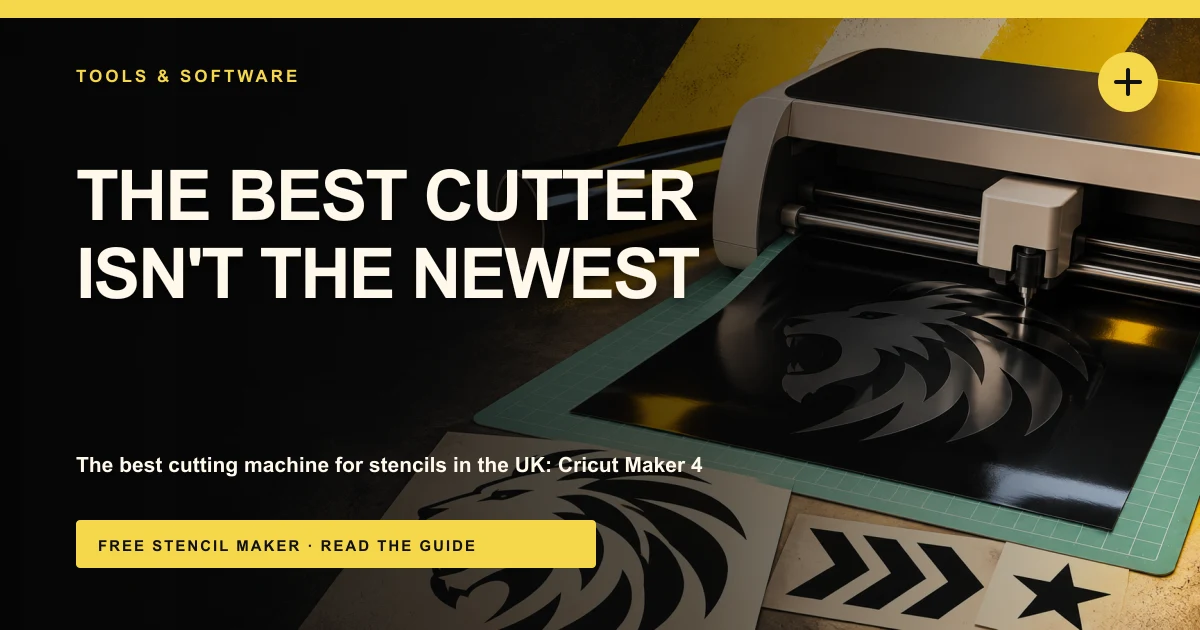
The best cutting machine for stencils for most people in the UK is the Cricut Maker 4. It has the force and the blade options to get cleanly through stencil mylar, it takes a full 12 inch wide mat, and Design Space handles SVG uploads without fuss. If you want the newest machine, the Maker 5 is out now in a big Ultimate Bundle. And if you already own a Cricut Maker or Explore, the best budget move isn't a new machine at all: it's the Deep-Point Blade, which costs around £19 and is what makes 7 to 10 mil mylar realistic.
Whatever you buy, the stencil file matters more than the machine. A cutter cuts exactly the lines you give it, so if the centre of every O, A and 8 isn't bridged, it drops out, however good the machine is. Free Stencil Maker turns a photo into a bridged, layered SVG ready for Cricut, Silhouette or Brother software, for free.
Why this list is short
I'd rather give you three things you can actually buy than six you can't. On 3 November 2026, Amazon UK had no buy box for the Silhouette Cameo 5 Alpha, the Cricut Joy Xtra or the Brother ScanNCut SDX125E, so I haven't linked or ranked them. There's a short note on each near the end. That leaves two Cricut Maker bundles and the one blade that does the heavy lifting on mylar.
Quick picks
| Pick | Product | Why | Link |
|---|---|---|---|
| Best overall | Cricut Maker 4 bundle | Maker-level force for mylar, full 12 inch mats, simple SVG import | Check price |
| Newest Cricut | Cricut Maker 5 Ultimate Bundle | Cricut's latest Maker, materials up to 3mm, 13 tools | Check price |
| Must-have add-on | Cricut Deep-Point Blade + Housing | Steeper 60 degree blade for 7 to 10 mil mylar, fits Maker and Explore | Check price |
What to look for in a stencil cutting machine
- Enough force for mylar. Reusable stencils are usually cut from 7 to 7.5 mil mylar (about 0.18 to 0.19mm), and 10 mil (about 0.25mm) for heavy use. Thin stencil vinyl is easy for any machine. Mylar is a stiff plastic film, and lighter machines may need extra pressure, a second pass, or both.
- The right blade. The standard Fine-Point Blade is made for thinner materials. A Deep-Point Blade has a steeper angle, so it gets down through thicker film without dragging. For mylar stencils it's the single most useful upgrade.
- Cutting width. A 12 inch machine like the Cricut Maker takes standard 12 x 12 inch mylar sheets. Compact machines top out much narrower, which limits you to smaller stencils.
- Clean SVG import. You want the software to bring your SVG in as cut lines, not trace a picture. Cricut Design Space imports SVGs directly, and that's what you'll use with every pick here.
- Running costs. Blades wear faster on plastic film than on paper. Check what replacement blades and mats cost before you buy the machine, and keep a spare blade in the drawer.
Not sure which sheets to buy? My guide to the best mylar sheets for stencils compares 4, 7.5 and 10 mil packs.
The best cutting machines for stencils
1. Cricut Maker 4 bundle: best overall
The Maker 4 is the one to get if stencils are a regular thing for you, rather than a once-a-year project. It works with the full set of Maker tools, including the Knife Blade and Rotary Blade, and Cricut says it cuts up to twice as fast on a mat as the previous generation. For stencils, the force is the bit that counts. It gives you headroom for 7.5 mil and 10 mil mylar, where lighter machines can leave a cut that's nearly, but not quite, through.
It cuts the same way as every other Cricut: you upload the SVG to Design Space, pick a stencil film setting, and test. It also does Print Then Cut, which is handy if you make stickers or labels alongside your stencils. My Cricut stencil guide covers the exact upload path and settings.
This is a bundle listing rather than the bare machine, so check what's in the box on the day. It has 4.5 stars from over 650 ratings on Amazon UK.
Key specs:
- Works with 300+ materials, per Cricut
- Compatible with the Maker tool range, including the Knife Blade and Rotary Blade (sold separately)
- Print Then Cut
- Matless cuts up to 12 ft with Cricut Smart Materials
- Bluetooth, works with Design Space on desktop and mobile
Good: Maker-level force for thick mylar, wide choice of blades, Design Space SVG import is simple, plenty of UK ratings Not so good: A big spend if you only make the odd stencil, extra blades cost more, Design Space pushes the Cricut Access subscription
Around £388 ($378) in November 2026.
Check price on Amazon2. Cricut Maker 5 Ultimate Bundle: newest Cricut
The Maker 5 is Cricut's newest Maker, and this Ultimate Bundle is the way it's being sold on Amazon UK right now. Cricut lists it for materials up to 3mm thick and 13 compatible tools. For stencil mylar, that's far more than you need: 10 mil film is about a quarter of a millimetre. The extra capability matters more if you also want to cut chipboard templates, thicker craft materials or leather.
So who should buy it over the Maker 4? Someone who wants the latest model and plans to use it for a lot more than stencils. If stencils are the main job, the Maker 4 already has the force for them and costs less. The Maker 5 is also very new on Amazon UK, with 4.5 stars from only 13 ratings so far, so there's less buyer feedback to go on.
Key specs:
- Materials up to 3mm thick, per Cricut
- 13 compatible tools
- Ultimate Bundle listing
- Works with Design Space
Good: Newest Maker, handles much thicker materials than stencil work needs, bundle saves buying extras one by one Not so good: Most expensive pick, very few UK ratings yet, more machine than most stencil makers need
Around £462 ($449) in November 2026.
Check price on Amazon3. Cricut Deep-Point Blade + Housing: must-have add-on
This is the cheapest thing on the list and, for mylar stencils, possibly the most important. The standard Cricut blade has a 45 degree angle. The Deep-Point Blade has a 60 degree angle, so the tip goes down into thicker material more steeply instead of dragging across the top. That's the difference between a clean 7.5 mil stencil that pops out of the sheet and one you have to finish with a craft knife.
It fits both the Maker and Explore ranges, and it comes with its own housing, so you can swap between it and your fine blade without fiddling. If you already own a Cricut Explore, this is the upgrade I'd try before buying a new machine. Run a test cut on a corner of the sheet first, set pressure to More, and add a second pass if the cut isn't quite through.
It has 4.8 stars from over 11,000 ratings on Amazon UK, the most of anything in this guide. Stock was low at the time of writing (only 8 left), so it may come and go.
Key specs:
- 60 degree blade angle (standard blade is 45 degrees)
- Blade and housing included
- Compatible with Cricut Maker and Explore machines
Good: Cheap, makes thicker mylar realistic, works on machines you may already own, very highly rated Not so good: Doesn't add force to a light machine, blades still wear on plastic film, low UK stock at the time of writing
Around £19 ($19) in November 2026.
Check price on AmazonComparison table
| Product | What it is | Best stencil material | Price (Nov 2026) | Amazon UK rating |
|---|---|---|---|---|
| Cricut Maker 4 bundle | Cutting machine | 7.5 to 10 mil mylar, vinyl | Around £388 ($378) | 4.5 (658) |
| Cricut Maker 5 Ultimate Bundle | Cutting machine | 7.5 to 10 mil mylar, vinyl, thicker crafts | Around £462 ($449) | 4.5 (13) |
| Cricut Deep-Point Blade + Housing | Blade for Maker and Explore | 7 to 10 mil mylar | Around £19 ($19) | 4.8 (11,507) |
The file matters more than the machine
Every machine here cuts what's in the file, and nothing else. Design Space won't add bridges for you. So if your design has enclosed shapes, the inside pieces fall out mid-cut and the stencil is ruined, whichever machine you used.
Build the stencil first. Upload a photo to the Cricut stencil maker, adjust the layers, let it bridge the islands, and download an SVG with corner marks so every layer lines up. Then the machine only has to do the easy bit.
Once it's cut, the stencil cutting techniques guide covers multi-pass cutting and clean edges, and how to make a reusable stencil explains how to make it last. For painting, see the best stencil brushes and sponges and the best spray paint for stencils. And if you'd rather cut with a beam than a blade, the best laser for cutting Mylar stencils guide covers that route.
How we picked
These picks are based on manufacturer specs, what a machine has to do to cut stencil film and vinyl cleanly, and star ratings read from the live Amazon UK pages on 3 November 2026. I haven't used every machine hands-on, so treat this as a shortlist chosen on specs, availability and buyer feedback. I only linked products with a buy box on Amazon UK that day. Prices move often, especially on bundles, so check the listing before you buy.
Also worth knowing: the Silhouette Cameo 5 Alpha (good for long stencils from the roll), the Cricut Joy Xtra (small and cheap, but narrow and not built for thick mylar) and the Brother ScanNCut SDX125E (built-in scanner, cuts without a computer) are all decent machines. None of them is currently sold on Amazon UK, so if one appeals, check the maker's own site or a UK craft retailer.
FAQ
Can a Cricut cut 7.5 mil mylar?
Yes. The Maker 4 and Maker 5 have the force for it, and the Deep-Point Blade makes it much cleaner. Use a stencil film setting, set pressure to More, and do a small test cut first, because mylar varies between brands.
Do I need a new machine, or will a blade do?
If you already have a Cricut Maker or Explore and your cuts aren't quite going through, try the Deep-Point Blade first. It's around £19. Upgrade the machine if you want 10 mil film regularly, chipboard templates, or you're cutting enough stencils that extra force saves you re-cuts.
Maker 4 or Maker 5 for stencils?
For stencils alone, the Maker 4. It already handles 10 mil mylar and costs less. The Maker 5 makes more sense if you'll also cut much thicker materials, since Cricut lists it for materials up to 3mm.
Cricut or Silhouette for stencils?
Both cut stencils, and the bigger difference is the software. Cricut is easier for beginners and has far more tutorials. In the UK right now, Cricut is also the easier one to buy on Amazon, since the Silhouette Cameo 5 Alpha isn't listed with a buy box.
Why does my stencil fall apart when it's cut?
Almost always missing bridges. Enclosed shapes need thin strips connecting them to the rest of the stencil, and they have to be in the file before you cut.
Ready to cut? Make a bridged, layered SVG from your photo for free with the Cricut stencil maker, then send it to whichever machine you've got.
Ready to make your own stencil?
Start Making Stencils