Best Laser for Cutting Mylar Stencils (2026)
The best laser for cutting mylar stencils on Amazon UK: diode vs CO2, clear vs frosted mylar, and which Creality Falcon is worth the money in the UK right now.
As an Amazon Associate, Free Stencil Maker earns from qualifying purchases. It costs you nothing extra, and it never decides what makes the list.
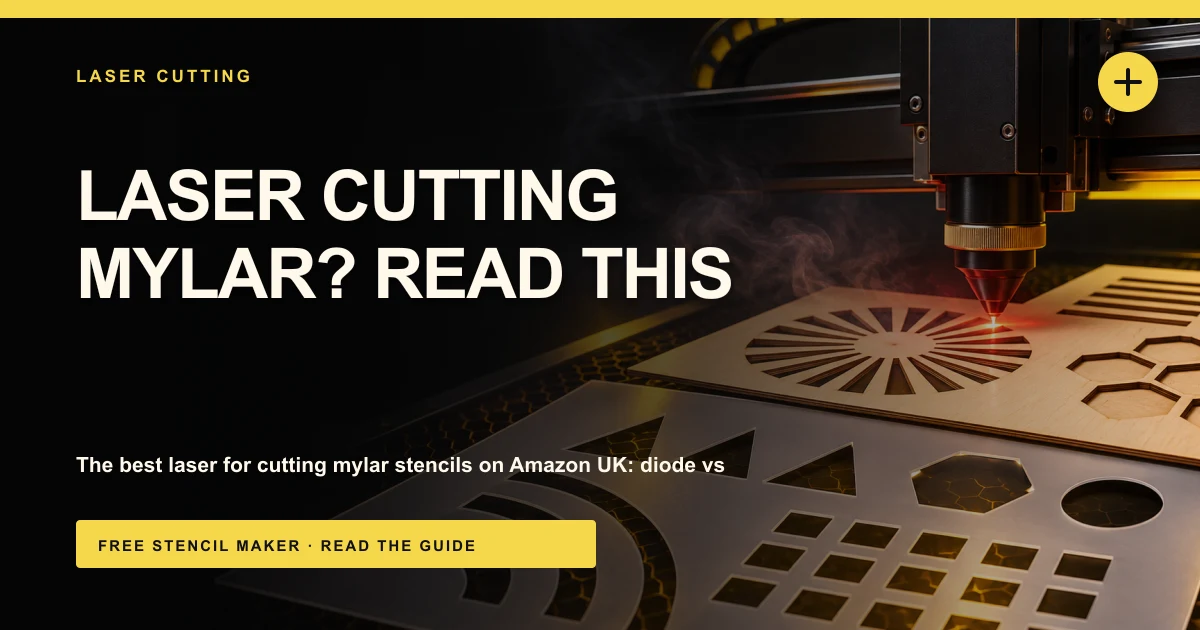
For most people in the UK, the best laser for cutting mylar stencils on Amazon right now is the Creality Falcon A1C 5W. It's enclosed, it's Class 1, it has a camera and autofocus, and at around £365 it's also the cheapest enclosed machine in this list, so it's my budget pick too. If you'll be cutting a lot of thicker film, the Creality Falcon A1 Pro 20W is the step up, with four times the power and air assist built in. Both are diode lasers, so plan on frosted or coloured mylar rather than clear.
Whatever you buy, the stencil file matters more than the kit. Free Stencil Maker turns a photo into clean, bridged stencil layers in your browser, so nothing falls out when you cut. You can build the stencil for free and unlock the DXF or SVG for your laser software when you're ready.
Quick picks
| Pick | Product | Why | Link |
|---|---|---|---|
| Best overall and best budget | Creality Falcon A1C 5W | Cheapest enclosed Class 1 machine on Amazon UK, camera, autofocus, swappable modules | Check price |
| Best for heavier cutting | Creality Falcon A1 Pro 20W | Enclosed, 20W, air assist, touchscreen | Check price |
| More power, small budget | Creality Falcon A1C 10W | Same enclosed A1C with a 10W module, but UK stock is thin | Check price |
| Open frame | Creality Falcon Pro 10W | Open frame 10W, but priced well above its US price | Check price |
What to look for in a laser for mylar stencils
- Laser type first, power second. CO2 lasers (10,600nm infrared) are absorbed by almost all plastics, clear ones included. Blue diode lasers (around 445 to 455nm) pass straight through clear film, so most of the power never reaches it. Fibre lasers are built for marking metal and are the wrong tool for plastic film.
- The mylar you plan to buy. If you want clear mylar (handy for lining up layers), a CO2 laser is the textbook answer. If you're happy with frosted, translucent coloured or opaque mylar, a diode can work, but test on a scrap first. My guide to the best mylar sheets for stencils covers the options.
- Bed size. A stencil can't be bigger than the bed unless the machine has a passthrough slot. Check the listed work area against the biggest stencil you'll make.
- Air assist. Mylar melts rather than burns, so edges bead up and fine bridges weld shut. A steady stream of air at the cut point keeps edges cleaner and cuts down on flare-ups.
- Enclosure and extraction. Cutting plastic makes fumes. An enclosed machine with an exhaust you can duct outside (or a proper fume extractor) isn't optional for indoor use.
- Software and file support. You'll want something that opens DXF or SVG cleanly. LightBurn works with a lot of diode lasers, and Creality has its own software too.
A safety note before you buy
Never put PVC or vinyl in any laser. They contain chlorine, and cutting them releases chlorine gas, which is harmful to breathe and corrodes the machine. Some sheets sold as "stencil plastic" or "stencil film" are PVC, so only cut polyester (PET) mylar you can identify. And always cut with ventilation running. Even PET gives off fumes you shouldn't be breathing. My laser cut stencils guide covers materials and settings in more detail.
Why there's no CO2 laser in this list
On paper, CO2 is the best laser type for mylar, because it cuts clear film as happily as frosted. Brands like xTool and OMTech make desktop CO2 machines. But I've built this list from what I could confirm on Amazon UK in November 2026, and the machines that checked out there were Creality diode lasers. If clear mylar matters to you, look at a CO2 machine from a specialist UK retailer. If frosted or coloured mylar is fine, the picks below will do the job.
The best lasers for mylar stencils on Amazon UK
1. Creality Falcon A1C 5W: best overall and best budget
This is the one I'd point most UK readers at. It's an enclosed, Class 1 diode laser with an AI camera for positioning and autofocus. The part I like most for a first machine is the interchangeable laser modules. Creality lists 5W, 10W and 1.2W modules for the A1C, so you can start at 5W and move up later without buying a whole new machine.
At 5W it's a light machine for cutting. Thin frosted mylar is the sensible material to start with, with several light passes rather than one slow, hot one. Check Creality's guidance for the film thickness you plan to cut.
One thing to be honest about: the UK listing only had 3 ratings when I checked (4.3 stars), which is too few to mean much. The US listing is more useful, at 4.5 stars from 67 ratings.
Key specs:
- 5W blue diode module
- Enclosed, Class 1
- AI camera and autofocus
- Interchangeable 5W, 10W and 1.2W modules
Good: cheapest enclosed machine here, Class 1, camera and autofocus make setup simpler, room to upgrade the module. Not so good: 5W is modest for cutting, no clear mylar, very few UK ratings so far.
Around £365 ($300) in November 2026.
Check price on Amazon2. Creality Falcon A1 Pro 20W: best for heavier cutting
If you know you'll be cutting a lot of stencils, or thicker film, this is the serious option. It's enclosed, it has a touchscreen, autofocus and air assist, and 20W gives you far more headroom than the A1C. Air assist is the feature that matters most for mylar, because it keeps the melted edge in check and stops fine bridges welding shut.
It's a big jump in price, though, and the UK reviews are mixed. It sat at 3.9 stars from 18 ratings on Amazon UK when I checked, so read the recent reviews before you commit.
Key specs:
- 20W blue diode laser
- Enclosed, with touchscreen
- Autofocus
- Air assist
Good: much more power than the A1C, air assist for cleaner mylar edges, enclosed. Not so good: expensive, mixed UK rating, still not a clear mylar machine.
Around £1,620 ($1,100) in November 2026.
Check price on Amazon3. Creality Falcon A1C 10W: more power, if you can get one
On paper this is the beginner sweet spot. It's the same enclosed, Class 1 A1C with a camera and autofocus, but with a 10W module and a listed speed of 15,000mm/min. In the US it's well rated, at 4.6 stars from 17 ratings.
In the UK it's a different story. When I checked on 3 November, the Amazon UK listing was a third-party seller with only 1 left. Check who's selling it and the returns terms before you buy. And because the A1C takes interchangeable modules, buying the 5W now and adding a 10W module later is a reasonable alternative.
Key specs:
- 10W blue diode module
- Enclosed, Class 1
- Camera and autofocus
- Up to 15,000mm/min
Good: double the power of the 5W for only a little more money, same enclosed Class 1 design. Not so good: third-party UK seller with almost no stock, no clear mylar.
Around £380 ($400) in November 2026.
Check price on Amazon4. Creality Falcon Pro 10W: open frame, but check the price
I'm including this one mostly so UK readers aren't caught out. The Falcon Pro 10W is an open-frame machine, rated Class IIIa, with 4.2 stars from 73 ratings on Amazon UK. The problem is the UK price. It was listed at around £865 when I checked, while the same machine was about $385 in the US. For less money on Amazon UK you can get the enclosed A1C, which is the better choice for most people anyway.
Open frame also means more work on your side. You need eye protection suited to the laser, a fireproof surface, and your own way to contain and extract the fumes.
Key specs:
- 10W blue diode laser
- Open frame, Class IIIa
Good: decent rating with a meaningful number of reviews. Not so good: UK price is more than double the US price, open frame needs extra safety kit, no clear mylar.
Around £865 ($385) in November 2026.
Check price on AmazonComparison table
| Laser | Type | Enclosed | Air assist | Clear mylar? | UK price (Nov 2026) |
|---|---|---|---|---|---|
| Creality Falcon A1C 5W | Diode, 5W | Yes, Class 1 | Not listed | Not reliably | Around £365 |
| Creality Falcon A1 Pro 20W | Diode, 20W | Yes | Yes | Not reliably | Around £1,620 |
| Creality Falcon A1C 10W | Diode, 10W | Yes, Class 1 | Not listed | Not reliably | Around £380 |
| Creality Falcon Pro 10W | Diode, 10W | No, Class IIIa | Not listed | Not reliably | Around £865 |
Cutting mylar on a diode laser: what actually works
If you've got a diode, you're not stuck. Clear mylar lets most of the blue light straight through, which is why owners on laser forums report it barely marks. Glowforge's own comparison says its Aura diode doesn't work with clear materials.
So give the light something to absorb. Frosted or darker coloured mylar cuts far better (white and pale yellow can still be hard). Use air assist if your machine has it, run several light passes rather than one slow, hot one, and cut a test square first, because film varies between brands.
For most reusable paint stencils, 7.5 to 10 mil (about 0.19 to 0.25mm) is the sweet spot between flexible and durable. My guide to making a reusable stencil goes into thickness, and stencil materials for beginners covers the alternatives if mylar isn't right for the job. If you'd rather not deal with fumes at all, a blade cutter is worth a look too. See my best cutting machine for stencils guide.
DXF or SVG?
Both work. DXF is the safer choice for LightBurn and most dedicated laser software. SVG is often easier in a maker's own app. When you export from the laser cutting stencil maker, you get cut lines with bridges already in place, so the islands in letters and faces stay attached.
Also worth knowing
Two other Creality machines come up a lot. The enclosed Falcon A1 10W (CoreXY, camera and an emergency stop) had no buy box on Amazon UK when I checked, so it's not currently sold there. The budget Falcon 10W open frame, popular in the US at under $200, isn't currently listed on Amazon UK either.
How we picked
These picks are based on what I could confirm on live Amazon UK listings on 3 November 2026, the manufacturer's listed specs, and what a laser needs to cut mylar stencils well: laser type, enclosure, air assist and software. Ratings are as shown on Amazon at the time, and I've flagged where the count is too small to lean on. We haven't tested these machines hands-on. Prices move often, especially on lasers, so check the current listing before you buy.
FAQ
Can a diode laser cut mylar?
Yes, but not clear mylar reliably. Most of the blue light passes straight through clear film. Frosted, coloured or opaque mylar cuts much better on a diode. For clear mylar, use a CO2 laser.
Is it safe to laser cut mylar?
Polyester (PET) mylar is commonly cut on lasers, but it still produces fumes, so cut with ventilation that goes outside or through a proper fume extractor. Never cut PVC or vinyl, which release chlorine gas. If you can't confirm what a sheet is made from, don't cut it.
Why does my mylar melt instead of cut cleanly?
Mylar is a thermoplastic, so it melts at the edge. Use air assist, lower the power, raise the speed and try several light passes. Make sure your stencil's bridges aren't too thin, or they'll melt shut.
Is 5W enough to cut mylar stencils?
For thin frosted or coloured film, it's a sensible place to start, as long as you're happy to run several passes. If you'll cut a lot, or thicker film, more power and air assist will save you time. Check the maker's guidance for the thickness you plan to use.
Should I get a CO2 or a diode laser for stencils?
If clear mylar matters to you, get CO2. If you want a simpler, enclosed machine for card, coloured mylar and other craft work, a diode is fine.
Ready to cut? Upload a photo to the laser cutting stencil maker, get bridged layers in a few minutes, and send the file straight to your laser.
Ready to make your own stencil?
Start Making Stencils