


Upload Your Image
Drop in any photo and pick a style. Portraits, pets, logos, anything - the layers are cut for you in seconds.
Used by airbrush artists, portrait painters, and tattoo studios
Photorealistic stencils that keep the lifelike detail. Skin tones, fur texture, eye highlights - multi-layer separation built for portrait-grade work.
No credit card required
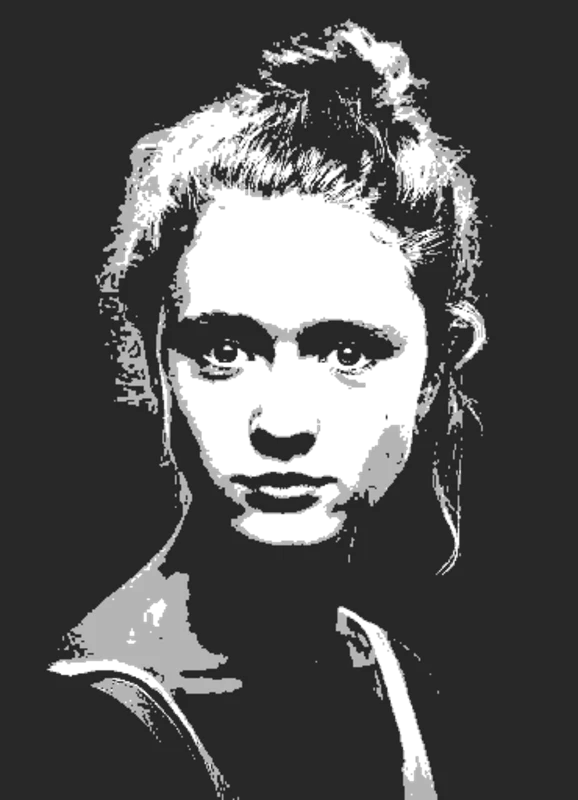
Original → StencilDrag to compare
Realistic Stencils
Real photo references turned into multi-layer realistic stencils for airbrush, tattoo, and detailed portrait work.
How it works
Drop in any photo and pick a style. Portraits, pets, logos, anything - the layers are cut for you in seconds.
One slider per layer: more detail or a cleaner cut. Hold to compare against the original photo.
Islands that would fall out are found and highlighted. One tap fixes every layer, or draw your own bridges.
Download print-ready files with registration marks. PDF, PNG, Cricut SVG or DXF - your choice.
Features
Up to 6 layers of tonal separation, fine threshold control, and clean colour transitions - so the realism survives the cut.
Never worry about floating pieces again.
Handle complex designs with ease.
If you know Photoshop, you're already home.
Every format you need, ready to cut.
Pricing
Free downloads include PDF and PNG with up to 3 layers. Pro unlocks every layer, Cricut, SVG and DXF files, and multi-page printing.
$0Free
No card needed.
$99once$249
Pay once. Keep Pro forever.
7-day money back. Secure checkout by Stripe.
$10/ month
Renews monthly. Cancel anytime.
7-day money back. Secure checkout by Stripe.
FAQ
For photorealism, 4-6 layers gives the best result. Two layers reads as graphic, three is portrait-style, and 4-6 captures the tonal range needed for skin texture, fur, or fine shadow detail. The tool lets you preview each layer count instantly.
A sharp, well-lit photo at 2000px or higher works best. Soft photos can be sharpened with the contrast slider, but blurry source images won't give photorealistic output. Use phone portrait mode or a DSLR shot taken in even lighting.
Yes - airbrush artists are some of the heaviest users. Each layer becomes a freisket or low-tack vinyl mask that you spray through in sequence, building tones from light to dark. The DXF export feeds straight into vinyl plotters for cutting masks.
The multi-layer output is ideal for it. Each layer is a separate colour pass on the skin, mirroring how you'd build the tattoo. Many tattoo artists use the SVG export to refine in Procreate before transferring to thermal paper.
Yes if the source photo has them. The tool does its best to preserve highlights as their own layer when you go to 4+ layers. Fine bridging keeps tiny details connected so they don't fall out when you cut a physical mask.
Yes - the wall-size tiling feature splits any realistic stencil across multiple A4 or letter pages. You can spray a 6-foot photorealistic portrait on a feature wall using only a home printer, masking tape, and the layered files.
Convert any high-resolution photo into a photorealistic multi-layer stencil that preserves lifelike detail. Our realistic stencil maker uses up to 6 tonal layers to capture skin tones, fur texture, eye reflections, and shadow gradients with portrait-grade fidelity. Ideal for airbrush portraits on car panels and helmets, multi-pass tattoo flash for full-colour pieces, fine-art screen printing, and large-format spray murals where detail matters. Export as high-res PNG for print references, layered SVG for Cricut and Silhouette vinyl, tiled PDF for life-size wall portraits, or DXF for laser-engraved photo plaques. Works with any subject - human portraits, pets, wildlife, still life, automotive close-ups - as long as the source photo has good lighting and resolution.
Get a photorealistic stencil from any photo. Your first stencil is free.
No account needed to try