




Upload Your Image
Drop in any photo and pick a style. Portraits, pets, logos, anything - the layers are cut for you in seconds.
Loved by pop art and collectible art fans
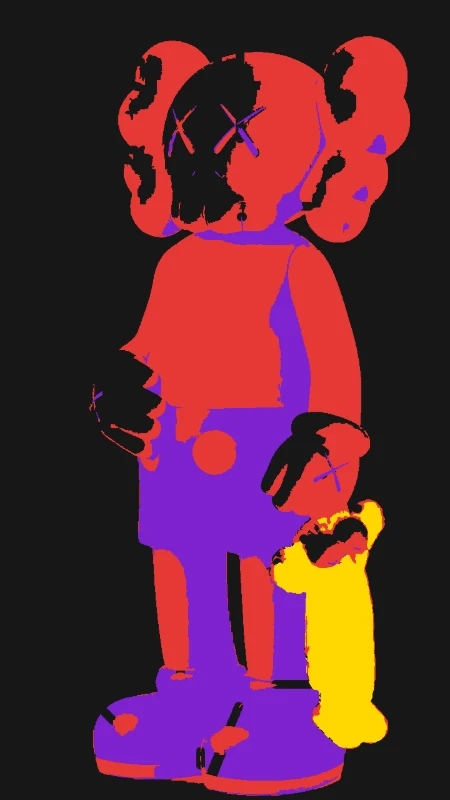
Turn KAWS-inspired designs, companion figures, and bold pop art into multi-layer stencils with clean colour separation. Upload any image and get spray-ready stencil files in seconds.
No credit card required

Original → StencilDrag to compare
KAWS Stencils
Real KAWS-inspired stencil art with bold colours and clean lines - from companion figures to abstract pop art.
How it works
Drop in any photo and pick a style. Portraits, pets, logos, anything - the layers are cut for you in seconds.
One slider per layer: more detail or a cleaner cut. Hold to compare against the original photo.
Islands that would fall out are found and highlighted. One tap fixes every layer, or draw your own bridges.
Download print-ready files with registration marks. PDF, PNG, Cricut SVG or DXF - your choice.
Features
Bold colour separation, clean geometric lines, and multi-layer exports - perfectly tuned for pop art aesthetics.
Never worry about floating pieces again.
Handle complex designs with ease.
If you know Photoshop, you're already home.
Every format you need, ready to cut.
Pricing
Free downloads include PDF and PNG with up to 3 layers. Pro unlocks every layer, Cricut, SVG and DXF files, and multi-page printing.
$0Free
No card needed.
$99once$249
Pay once. Keep Pro forever.
One payment, non-refundable. Secure checkout by Stripe.
$10/ month
Renews monthly. Cancel anytime.
7-day money back. Secure checkout by Stripe.
FAQ
The KAWS look is defined by bold flat colours, clean outlines, and graphic simplicity. Use the threshold and contrast controls to push your image toward strong colour separation with minimal gradients. The multi-layer output naturally creates the flat-colour effect that defines KAWS-style art.
Yes - companion figures with their bold silhouettes and clean geometric forms are ideal for stencil conversion. Upload a clear image of the figure and the tool will generate sharp, well-separated layers that capture the iconic shape and proportions.
Each stencil layer represents a different tone or colour zone. When you spray or paint each layer separately, you build up flat colour blocks with clean edges - exactly the pop art look. Use different paint colours for each layer to create vibrant, KAWS-inspired compositions.
Absolutely. Many artists and collectors use stencils to create limited-edition prints, canvas pieces, and framed art. Export as SVG for clean vector files that scale to any size, then use them for screen printing, spray painting, or digital reproduction.
Yes - export your stencil as SVG for crisp vector files perfect for print-on-demand services, screen printing, and custom merch. The clean layer separation makes them ideal for t-shirts, posters, phone cases, and stickers.
Our KAWS-style stencil maker converts any image into bold, multi-layer pop art stencils with clean colour separation. Whether you are creating companion figure art, abstract compositions, or graphic wall pieces, the tool delivers the flat-colour layering and clean lines that define the KAWS aesthetic. Upload any image and download free stencil files instantly.
Create KAWS-style stencil art - completely free, no account required.
No account needed to try